
Dogbox Accounting
Small business accounting & invoicing

Dogbox Investments
Investment portfolio CGT tracking

Dogbox Mailman
AI email client for small business
Accounting software that's yours to keep
Raise invoices, pay bills, reconcile your bank, and run your BAS — with your data in a file you control. No cloud lock-in.
Windows, Mac & Linux • Free tier • 6-month Pro trial on registration • $19/mo Pro
The App
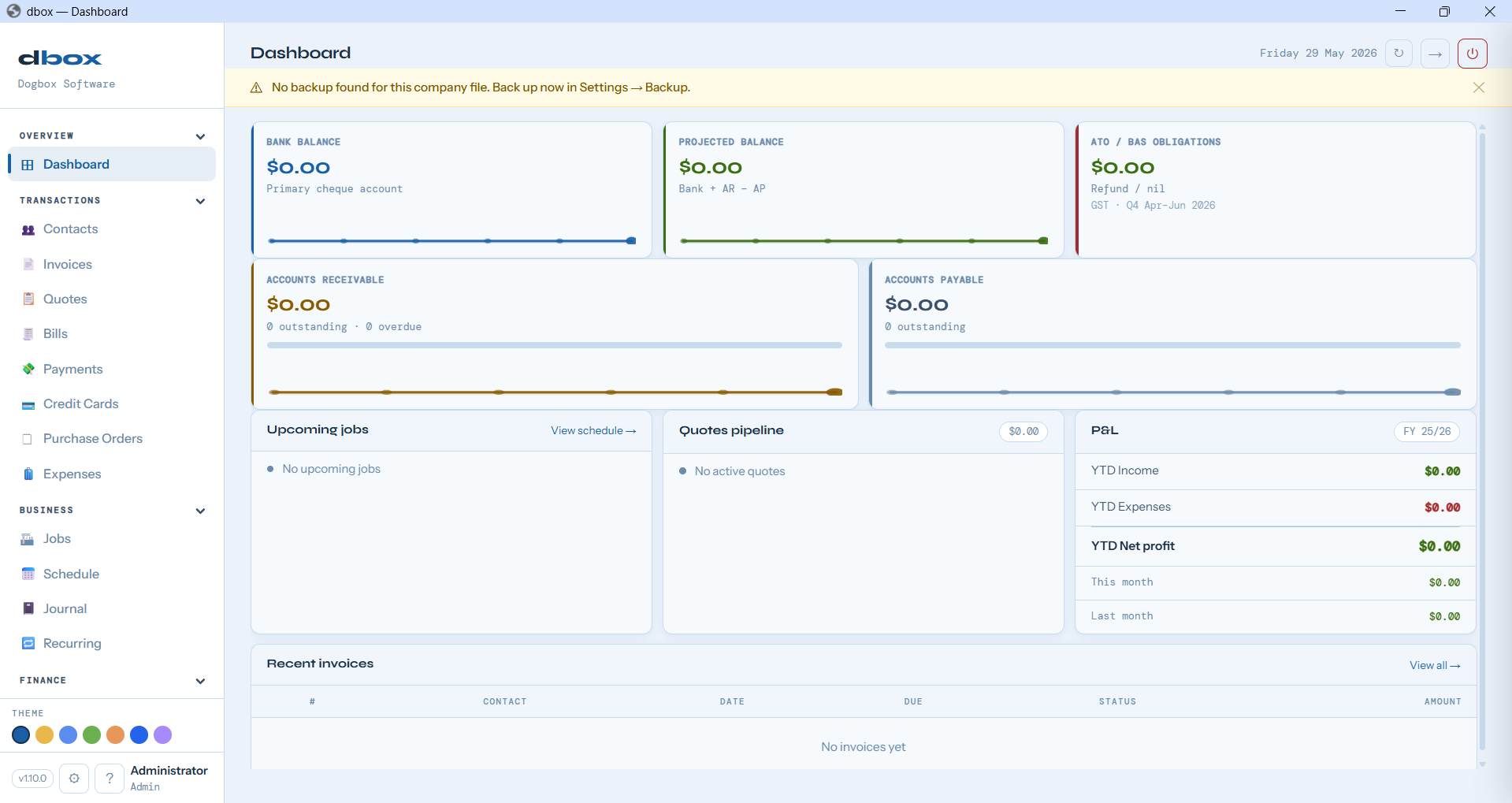
The dashboard shows bank balance, what you're owed, what you owe, and your P&L — the moment you open the app.
Features
Built for tradies, retailers, and consultants who want proper books without the complexity or ongoing cost.
Create professional invoices, track what's paid and what's outstanding, and send payment reminders.
Record supplier bills, schedule payments, and keep a clear picture of what you owe.
Import CSV files and match transactions to your records in seconds — bank accounts, credit cards, and loan accounts all supported.
GST is tracked automatically. Generate your BAS figures at quarter-end with one click.
Manage jobs from lead to invoice. Pipeline view, calendar scheduling with optional two-way Google Calendar sync, site visits, progress claims, quotes, and job cost tracking in one place.
Track stock levels and manage fixed assets with automatic depreciation.
Touch-optimised sales screen for retail and hospitality. Cash, card, and split tender. Linkly Cloud EFTPOS accredited — works with CBA, NAB, Westpac, and ANZ terminals.
Run Dogbox on your network and connect from any machine on the same LAN — back office and front of house at the same time, with automatic network discovery.
Process wages, calculate PAYG withholding, track leave, and generate payslips — STP Phase 2 ready. Awards & agreements with Fair Work Commission rate import.
Your company is a single .dbox file. Back it up anywhere, own it completely — no cloud required.
Your data runs locally — no monthly cloud fees, no price hikes, no internet required to work.
Proper double-entry accounting under the hood — P&L, balance sheet, and trial balance always in balance.
Five built-in roles — Admin, Accountant, Trades, Retail, and Read Only — each with different module permissions. The right people see exactly what they need.
Comparison
A straight comparison with the main alternatives. We've included our limitations too.
|
Dogbox
Free + Pro from $19/mo
|
Xero
from $35/mo
|
MYOB
from $34/mo
|
QuickBooks
from $25/mo
|
|
|---|---|---|---|---|
| Ownership & pricing | ||||
| Data stored on | Your device | Xero's cloud | MYOB's cloud | Intuit's cloud |
| Works offline | ✓ | ✕ | ✕ | ✕ |
| If you cancel | Drop to Free tier — keep data | Lose access | Lose access | Lose access |
| Free tier | Free forever + 6-mo Pro trial | 30 days trial | 30 days trial | 30 days |
| Core accounting | ||||
| Invoicing | ✓ | ✓ | ✓ | ✓ |
| Quotes | ✓ Paid | ✓ | ✓ | ✓ |
| Bills & expenses | ✓ | ✓ | ✓ | ✓ |
| Bank reconciliation | ✓ CSV import — bank, CC & loans | ✓ Auto feeds | ✓ Auto feeds | ✓ Auto feeds |
| BAS / GST reporting | ✓ | ✓ | ✓ | ✓ |
| Business features | ||||
| Jobs & scheduling | ✓ Paid | Add-on | Limited | ✕ |
| Purchase orders | ✓ Paid | ✓ | ✓ | ✓ |
| Inventory | ✓ Paid | Basic | Basic | ✓ |
| Fixed assets & depreciation | ✓ Paid | Add-on | ✓ | ✕ |
| Point of Sale | ✓ Paid | Add-on | Add-on | Add-on |
| Multi-machine (LAN) | ✓ Paid | ✓ | ✓ | ✓ |
| Payroll (STP Phase 2) | ✓ Add-on | ✓ | ✓ | ✓ |
| Limitations | ||||
| Automatic bank feeds | ✕ CSV only | ✓ | ✓ | ✓ |
| Mobile app | ✕ | ✓ | ✓ | ✓ |
Competitor pricing approximate. Features based on standard tiers as at September 2026.
Pricing
Core accounting is free with no sign-up required. Register to unlock a 6-month Pro trial — every module, no credit card, no catch.
Separately licensed — own pricing, independent of Pro. Pending ATO certification. Pricing on request.
Register free to unlock a 6-month Pro trial — every Pro module including POS, Jobs, and Inventory. No credit card, no catch.
After 6 months: $19/month for Pro, or stay on the Free tier. Cancel at any time — you drop to Free. Your software and data stay on your machine, always.
.dbox file is standard SQLite, readable independently of Dogbox, always.
Point of Sale includes Linkly Cloud EFTPOS accreditation — compatible with CBA, NAB, Westpac, and ANZ terminals. Payroll is a separately licensed module — pricing on request when available.
Getting Started
A guided setup wizard walks you through everything. No accountant required.
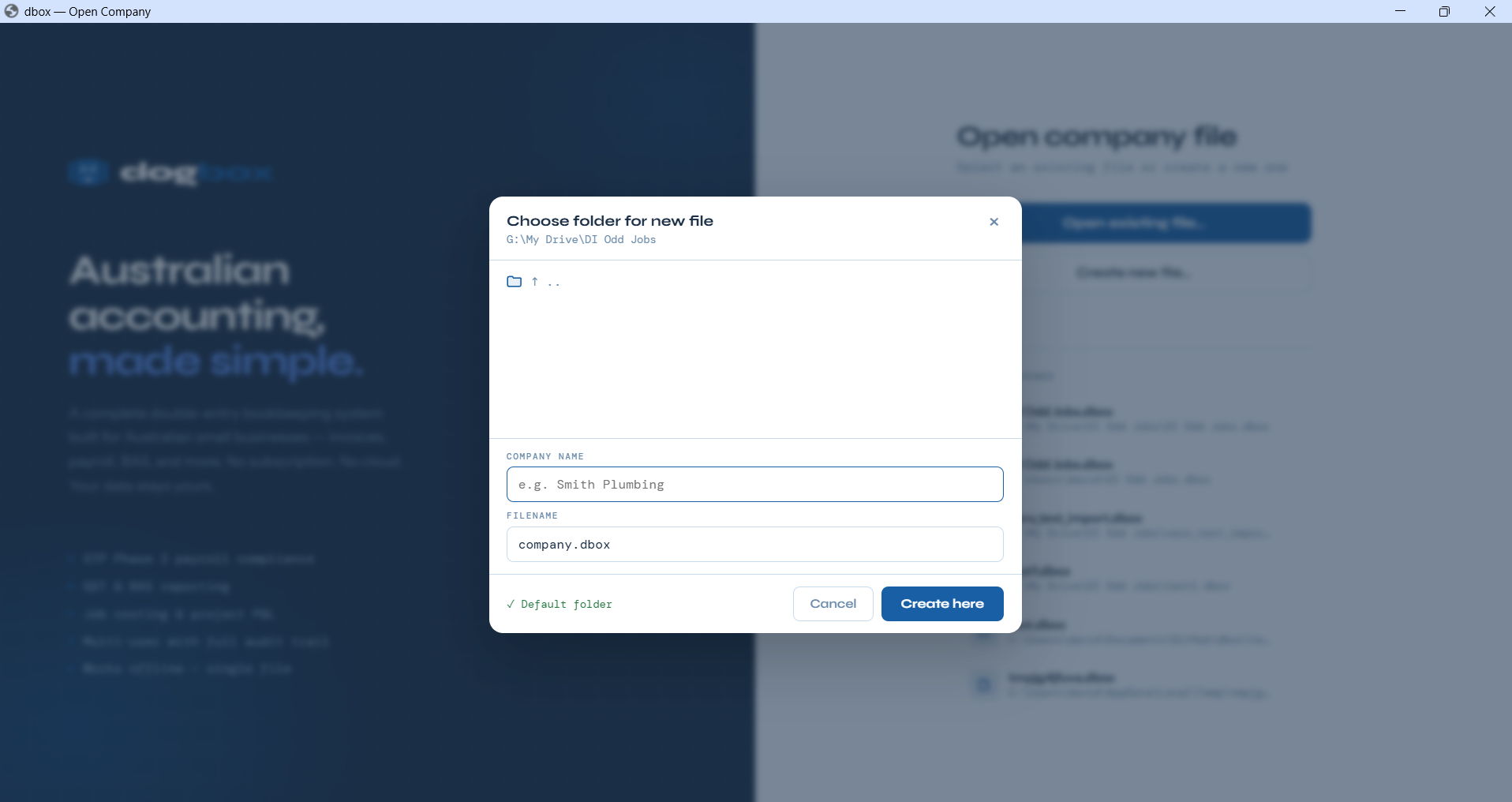
Name your business and choose where to save your .dbox file — on your drive, USB, or cloud folder.
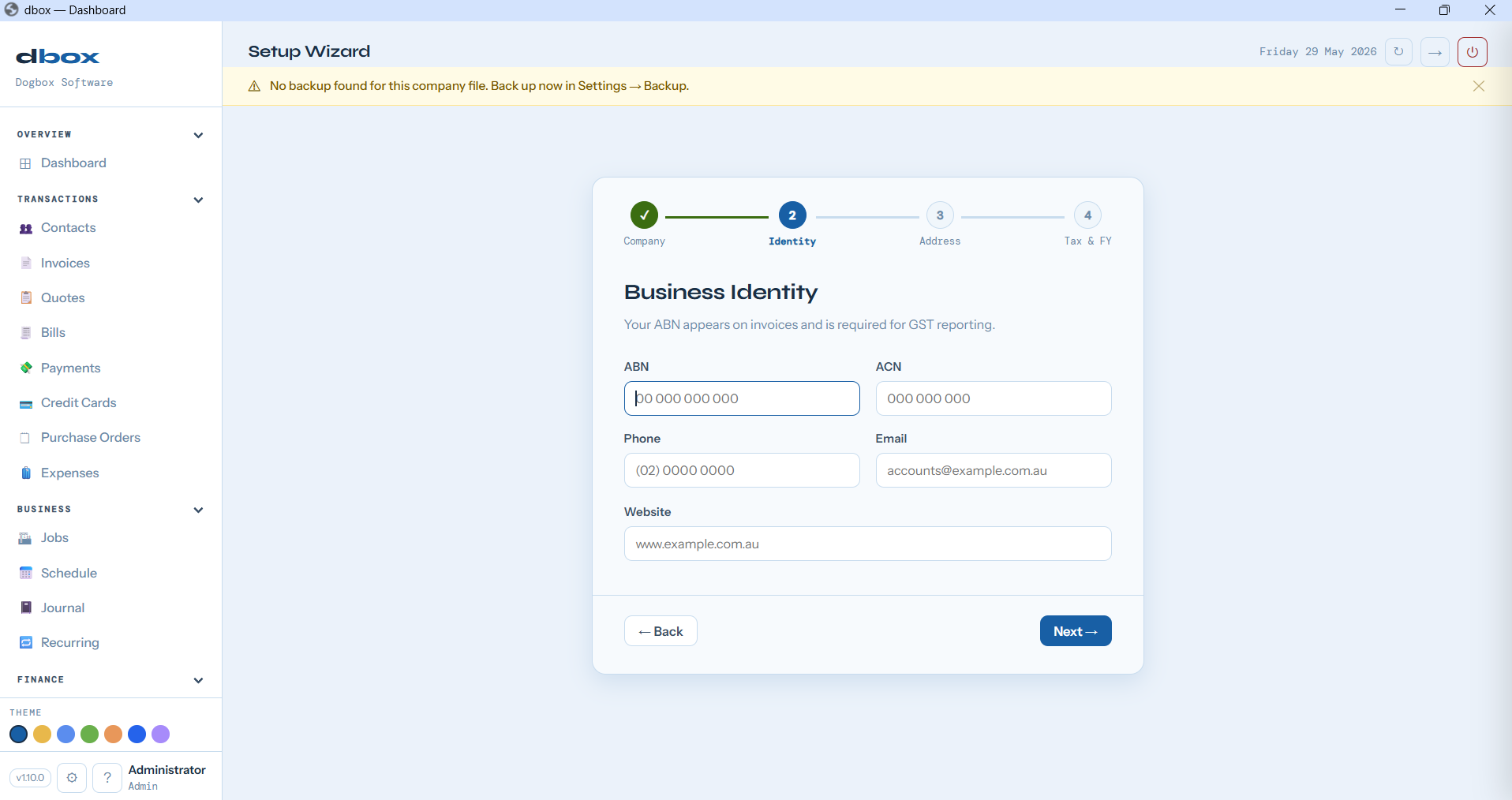
Your ABN, contact details, and address — used on invoices and for GST reporting.
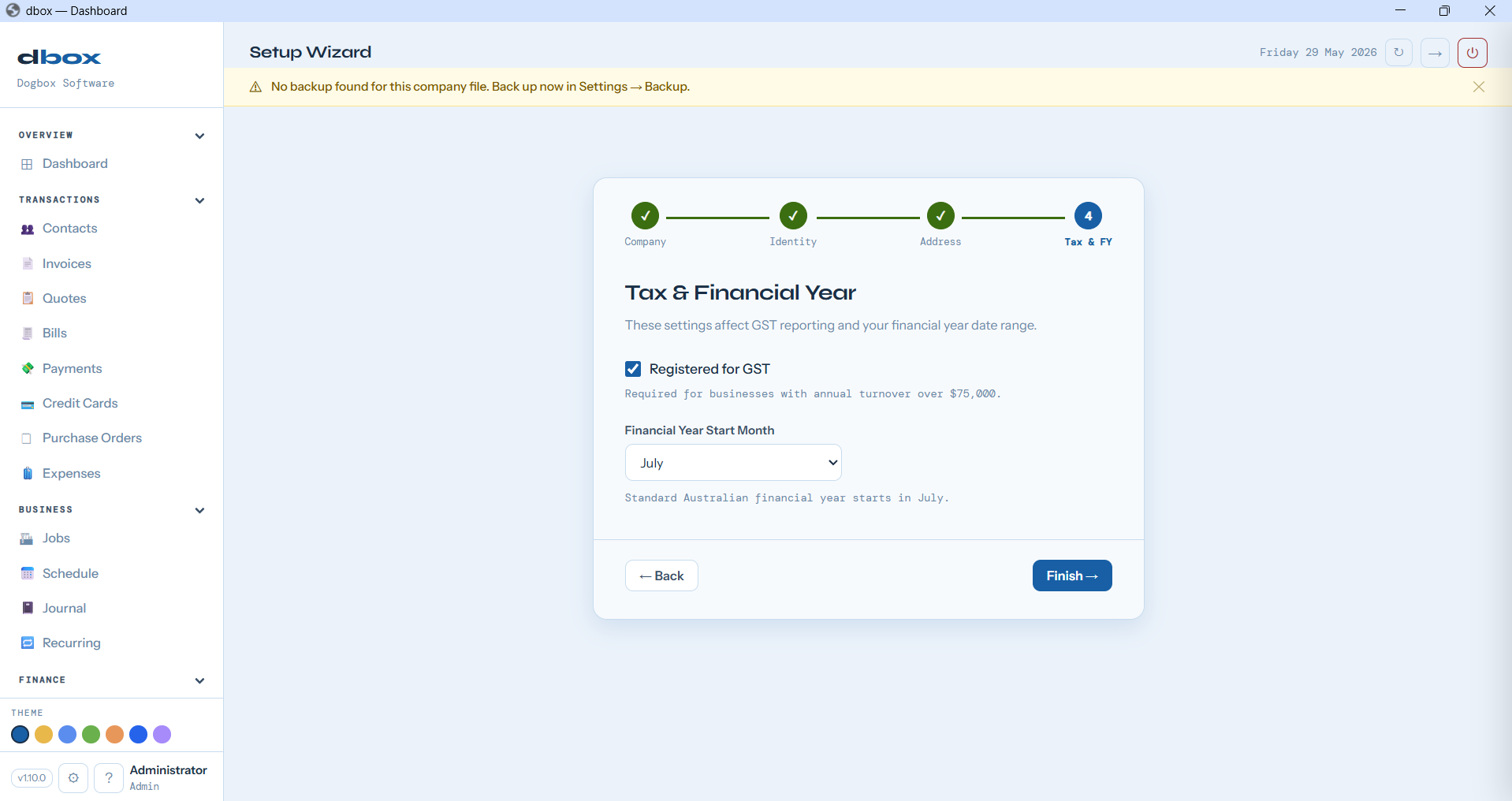
Tick GST registration and confirm your financial year start. Standard Australian settings pre-filled.
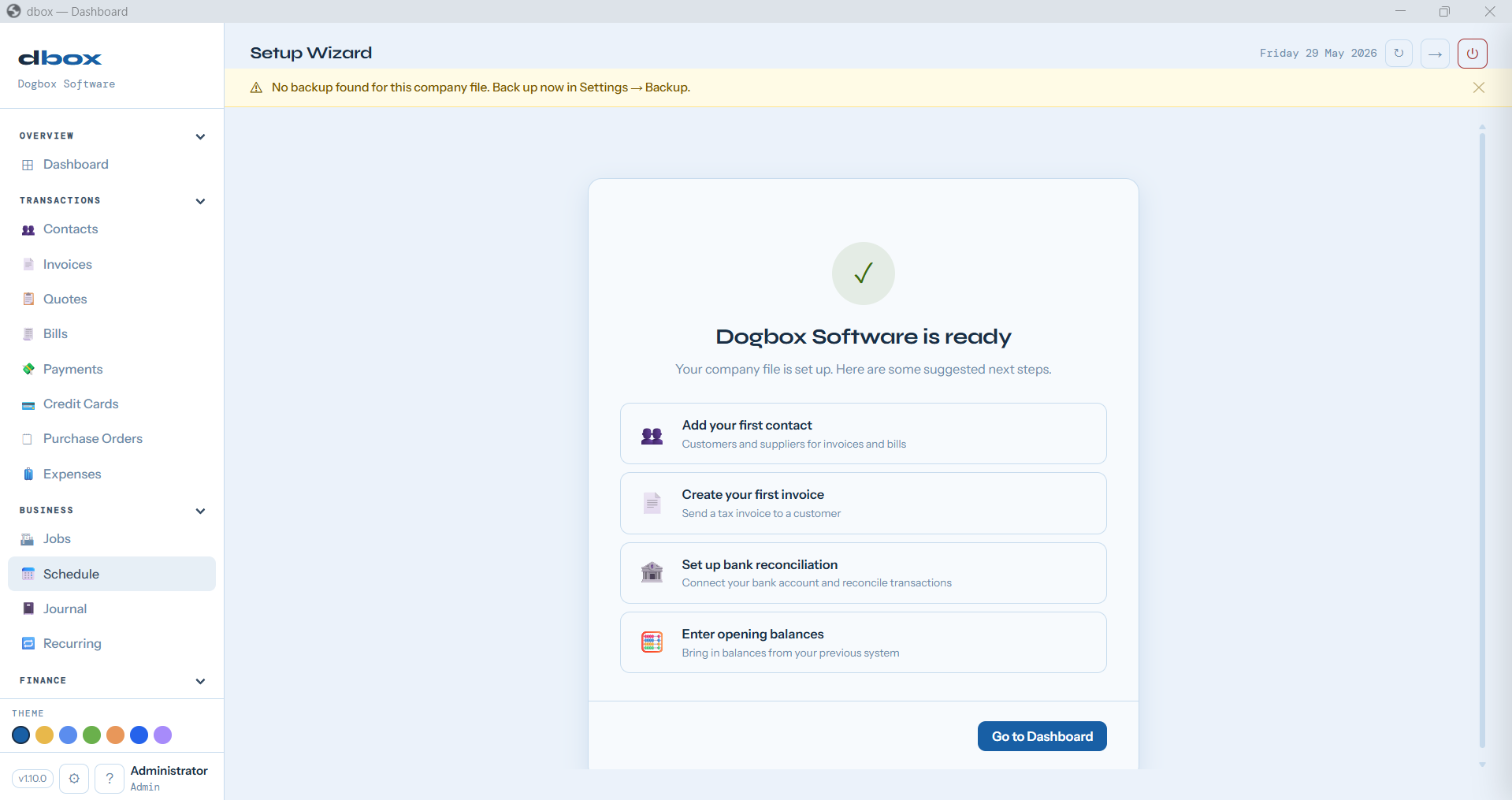
Your company file is set up. Add your first contact, raise an invoice, or import your bank — whatever comes first.
FAQ
Straight answers — no marketing fluff.
Two things. First, the Free tier is always free with no sign-up — invoicing, bills, bank reconciliation, BAS, and core accounting. Second, register your copy (free, takes 10 seconds, just a name and email) and you unlock a 6-month Pro trial: Jobs, POS, Inventory, and more. After the trial: $19/month for Pro, or stay on Free. Payroll is a separate module with its own pricing — pending ATO certification. See pricing →
You drop to the Free tier — invoicing, bank reconciliation, BAS, and core accounting keep working with no interruption. Your .dbox file stays on your computer, it's a standard SQLite database readable forever, completely independent of Dogbox. Unlike cloud accounting, cancelling doesn't lock you out of anything.
Yes, fully. Dogbox runs entirely on your machine. Internet is only needed to download the app or updates — once installed, everything works offline.
Copy your .dbox file anywhere — USB drive, Dropbox, Google Drive, an external hard drive. That single file is your entire company. Dogbox also has a built-in backup tool in Settings.
Yes — multiple ways. Dogbox supports multiple user accounts with separate logins, password protection, and role-based access (Admin, Accountant, Trades, Retail, or Read Only). For retail or back office + front of house setups, the Paid tier includes LAN server mode: start Dogbox with --lan and other machines on your network connect automatically via browser. No static IP setup needed — auto-discovery finds the server.
Yes — Windows, Mac, and Linux are all supported. The app runs in your browser (Chrome or Edge), launched from a local web server that starts automatically.
Not via a direct one-click import yet. You can enter opening balances to bring your financial position across, and bank transactions import via CSV (the same format your bank already provides). Direct migration tools are on the roadmap.
Email dogboxsoftware@gmail.com or use the contact form. There's also a full guide library covering every feature — invoicing, bank rec, BAS, payroll, and more.
No sign-up. No credit card. A live Dogbox session with sample data — just for you.
Open Live DemoDownload
Runs on Windows, Mac, and Linux. Your data stays on your machine.
Linux — paste into Terminal
curl -fsSL https://raw.githubusercontent.com/davidrobertinnes/dbox-releases/main/install_stub.sh | bash
Free tier • 6-month Pro trial on registration • See pricing →